
The Password Problem
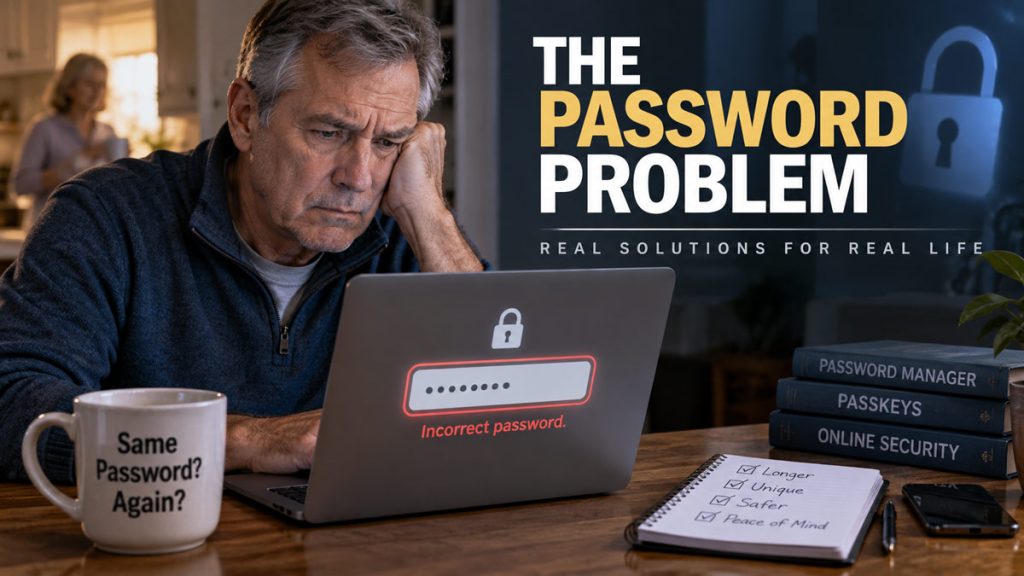
The site is not broken. You are not hacked. You are standing in the kitchen with a cooling cup of coffee, trying to pay a bill or open a medical portal, and the box on the screen has decided you are a stranger.
You type the password you have used since the last time this same site made you invent a new one. Rejected. You try the version with the exclamation point. Rejected. You try the version with the year. The screen informs you, with no warmth at all, that you have two attempts left before it locks the account and sends a code to an email address you also cannot open.
Kay is in the other room. She does not need to hear this.
That is the password problem. Not a hooded figure in a basement. A grown man locked out of his own life by a system that was supposed to protect him.
They Taught Us to Fail, Then Called Us the Weak Link
For a long time the official sermon went like this.
Make it long. Make it ugly. Put in a capital letter, a number, and a symbol that is a pain to find on a phone. Never use the same one twice. Never write it down. Change it every ninety days. Do not use a word that exists in English. Do not use your dog, your street, your anniversary, or anything you might actually remember on a Tuesday.
That is not security advice. That is a memory contest designed by people who do not live like people.
So we did what people do. We reused the good one. We added a 1, then a 2, then a bang. We kept a sticky note in the desk drawer and felt a little ashamed of it. We used the same phrase on the bank, the email, the county tax site, and the fishing forum that got emptied in 2019. Then a man on television told us we were the problem.
I have built websites for a living. I have reset more other people’s logins than I care to count. I have also been that man at the kitchen counter. The failure was not a lack of character. The failure was a set of rules that only work if you have three accounts and a perfect memory. Most of us have eighty accounts and a life.
Even the people who write the federal rulebook eventually admitted it. The latest NIST guidance — the document a lot of banks and agencies pretend to follow — walked back the old religion. Stop forcing people to change a password on a calendar. Stop demanding a circus of symbols. Let them paste. Prefer length over cleverness. Screen out the passwords everybody already stole. Use better locks when you can get them.
A lot of hospital portals, utility sites, and government forms never got that memo. They are still making you invent Tr0ut!2016 and then punishing you when you cannot remember which year you used.
Three Ways People Actually Live
There are only three systems in real houses.
The first is one “good” password everywhere. It is convenient. It feels responsible because it has a capital letter. It is also a single point of failure. One cheap website leaks a list, and a crook tries that same pair on your mail and your brokerage. They do not have to be brilliant. They have to be patient.
The second is unique nonsense for every site, stored in your head. This is the version the old sermon demanded. It works until about the twelfth login. After that you are not securing anything. You are improvising, and improvisation is how LakeHouse! becomes LakeHouse!1 on the account that matters.
The third is a password manager and a recovery plan. It is ugly for one afternoon. Then it is boring. Boring is the goal. Security that requires you to become a different person every time you buy socks is not security. It is theater.
I am not interested in turning a fifty-eight-year-old into a part-time IT department. I am interested in the smallest set of habits that keep the mail, the money, and the medical records from becoming a stranger’s problem.
What “Good” Means Now
Forget the little strength meter that turns green when you add an at-sign.
A good password in 2026 is long, unique, and not a performance. A string of ordinary words you did not invent under pressure will beat P@ssw0rd! all day. A random string you never see, because a manager made it and keeps it, will beat both.
Length beats cleverness. Uniqueness beats ritual. Changing a password because a calendar said so is how people get trained to make small, predictable edits. Change it when there is a reason — a breach, a stolen laptop, a site you do not trust anymore. Otherwise leave the good one alone.
Write it down if you have to, but write it down like an adult. A sealed envelope in a fire safe is more honest than a brain that will fail at two in the morning. A sticky note on the monitor is a gift to whoever walks through the room.
The email account is not “just email.” It is the master key. Almost every other site will send the reset link there. If somebody gets the mail, they do not need to guess the bank password. They ask the bank to forget it. Protect the mailbox first. Everything else is downstream.
The Manager Is the Tool. Passkeys Are the Upgrade.
A password manager is a locked book. You remember one strong passphrase for the book. The book remembers the rest. It fills the box so you do not have to. It will tell you when you reused the same phrase on four sites like a man who thought he could outrun arithmetic.
You do not need my favorite brand. You need one that is reputable, that works on the phone and the computer you actually own, and that you will still be using in six months. Apple’s built-in Passwords app is enough for a lot of people who live on iPhones and Macs. Google’s is enough for a lot of people who live in Chrome. Bitwarden, 1Password, and a few others exist for the rest of us. Pick one. Finish the setup. Do not collect managers the way some men collect pocketknives.
Then there are passkeys, and this is where the brochure language usually starts. Ignore the brochure.
A passkey is the site and your device agreeing you are you without you typing a secret into a form a crook can copy. Face, fingerprint, or the PIN on the phone. The secret never leaves the device in a way a phishing page can harvest. You are not “remembering harder.” You are stopping the part of the ritual that was always the weak spot: a human being typing a string into a box on the internet.
Login success with passkeys is a lot higher than with passwords, which is a polite way of saying fewer people get stuck in that kitchen. Plenty of the big sites offer them now. Plenty of the small, important ones do not. County portals and old medical systems will keep asking for Tr0ut!2016 for years. So you live in a mixed world. Manager for the old doors. Passkeys for the new ones. Do not wait for the whole internet to grow up.
The extra step on the accounts that can wreck you — email, bank, brokerage, the domain that holds a business — is not optional. An authenticator app on the phone is better than a text message. A text message is better than nothing. A text message can be stolen. A passkey is harder to steal. Use the best lock the site will give you and stop arguing with the ones that will not.
The Part the Tech Articles Skip
If I get hit by a truck, Kay still has to pay the power bill.
She still has to file whatever the government wants filed. She still has to get into the registrar, the bookkeeping, the photos, the accounts that are not romantic and are suddenly urgent. A password manager with no shared plan is a vault with the combination in a dead man’s head.
This is not morbid. This is adult.
One other trusted person. A way into the manager, or a sealed list of the few accounts that matter, stored where a fire and a nosy guest cannot both win. The point is not to hand the neighborhood your brokerage login. The point is that the person who loves you should not have to guess while they are scared.
If you have a small shop, add the business accounts to the same thought. The domain, the hosting, the ads account, the inbox customers use — those are inventory. Treat them that way.
I will not turn this into a lecture about estates. I will say this: the login is the asset if the asset is a retirement account. A man who spent thirty years being careful with money and careless with the door is not being careful.
What This Weekend Actually Looks Like
Four moves. Not a new personality.
First, pick the manager and put the important accounts in it. Email first. Bank and brokerage second. The rest can follow when you happen to log in. You do not have to boil the ocean on Saturday morning.
Second, turn on the extra step for mail and money. Do it while you are already in the account. Do not save it for a night when the site is down and your patience is gone.
Third, say yes when a site offers a passkey. You will feel like you skipped a step. That is the point.
Fourth, write the recovery plan as if someone who loves you will have to use it. One page is enough. Put it where you put the other papers that are not for the junk drawer.
If you want a fifth move, go to a breach-checking site and look up your addresses. You will not enjoy it. You may find an old forum or a retailer you forgot you ever used. Change those. Then stop living in the breach. The goal is a quieter Tuesday, not a new hobby.
I Want the Tool to Work
Most tech coverage is written for people who want a gadget the way some people want a new religion. New lock. New ritual. New reason to feel behind.
I want the tool. I want it to work. I want to know when a site is still making me play a game the experts themselves abandoned.
You do not have to become the most careful man on the internet. You have to stop treating eighty doors like they are one door, and you have to leave a key with the person who would have to open the house.
The password problem was never that you were too ordinary to secure your own life. It was that the instructions were written for a brain that does not exist. Use the book. Use the better lock when you can get it. Write down what Kay would need.
Then go back to the coffee before it is cold.
If you liked what you read, please share with your social network! Thanks.